All-in-One Plan Features
Everything in Business Management with letters of credit, work orders and maintenance contracts together, plus loyalty points, a customer portal, an online store, the extended restaurant, advanced HR, and one specialized module you choose.
Feature details
A quick overview of what this plan includes
| Feature | All-in-One Plan |
|---|---|
| Phase 1 and Phase 2 e-invoicing | ✓ |
| Sales (invoices and quotations) | ✓ |
| Sales orders | ✓ |
| Purchase requests and orders · Supplier quotes · Purchase notifications | ✓ |
| Credit and debit notes | ✓ |
| Reports center | Full |
| VAT return | ✓ |
| Purchases management | ✓ |
| Letters of credit and imports | ✓ |
| Warehouses and stocktaking | ✓ |
| Accounting and journal entries · Cost centers | ✓ |
| Permissions management | ✓ |
| Projects · Custody · Assets | ✓ |
| Personal custody (a custody account per employee · approval before the entry · statement) | ✓ |
| Advanced HR (payroll runs & allowances · GOSI · leaves · installment loans · end of service · WPS · self-service · approvals) | ✓ |
| Staff tasks · company obligations · company documents | ✓ |
| Work orders | ✓ |
| Maintenance contracts | ✓ |
| Fixed assets and depreciation | ✓ |
| Multi-currency | ✓ |
| Offers and discounts | ✓ |
| Restaurant (takeaway) | ✓ |
| Extended restaurant (tables & kitchen) | ✓ |
| Loyalty points | ✓ |
| Customer portal | ✓ |
| Online store | ✓ |
| One specialized module of your choice | One of: manufacturing · real estate rental · construction · transport · CRM |
| Users | 3 |
| Branches | 3 |
| POS terminals | 3 |
| Attachment storage (invoices, documents, and images) | 5 GB |
| Backups | ✓ |
| Technical support | Included |
See the Comprehensive plan inside 123ERP
Actual product screenshots show the plan tools. Some screenshots use the Arabic interface. Open any image at full size to see the details. The plan includes one specialized module of your choice: manufacturing, property leasing, contracting, transport, or CRM. The screenshots below include examples of some of these choices.
 View full-size screenshot
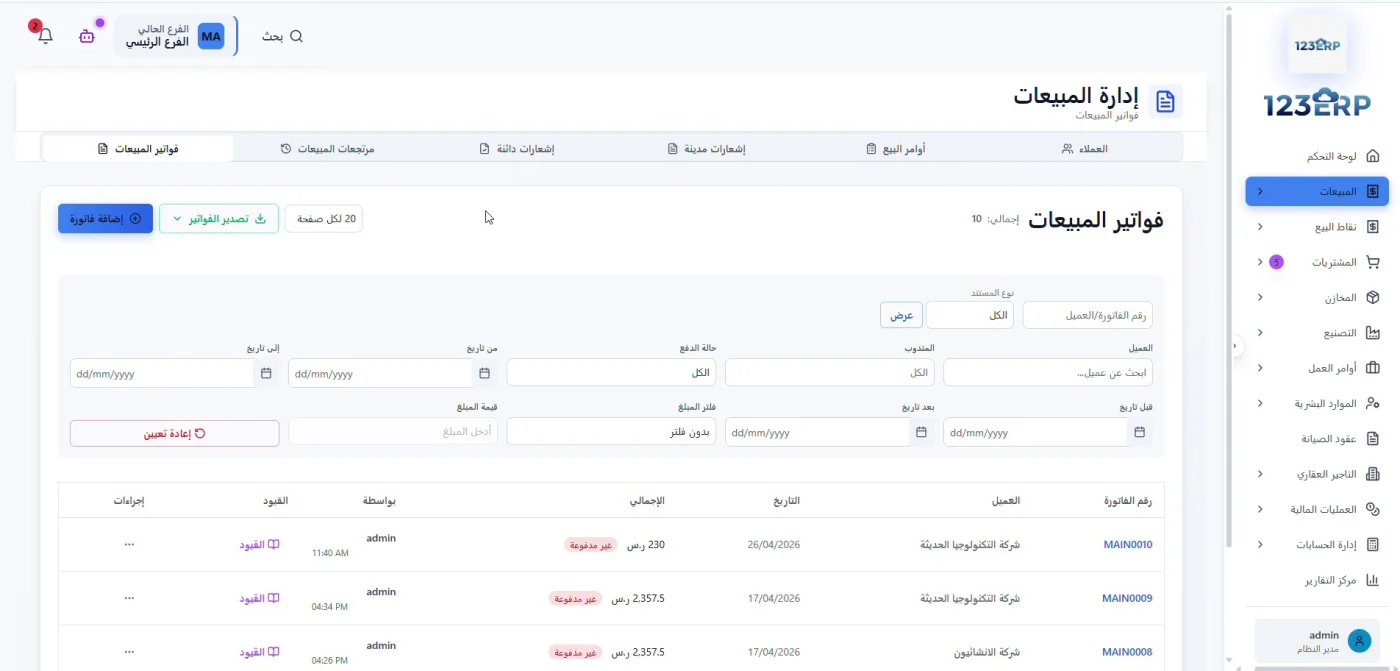
Sales invoices and payment status
Review customer invoices, dates, totals, and payment status. Use search and filters to find the invoice you need.
 View full-size screenshot
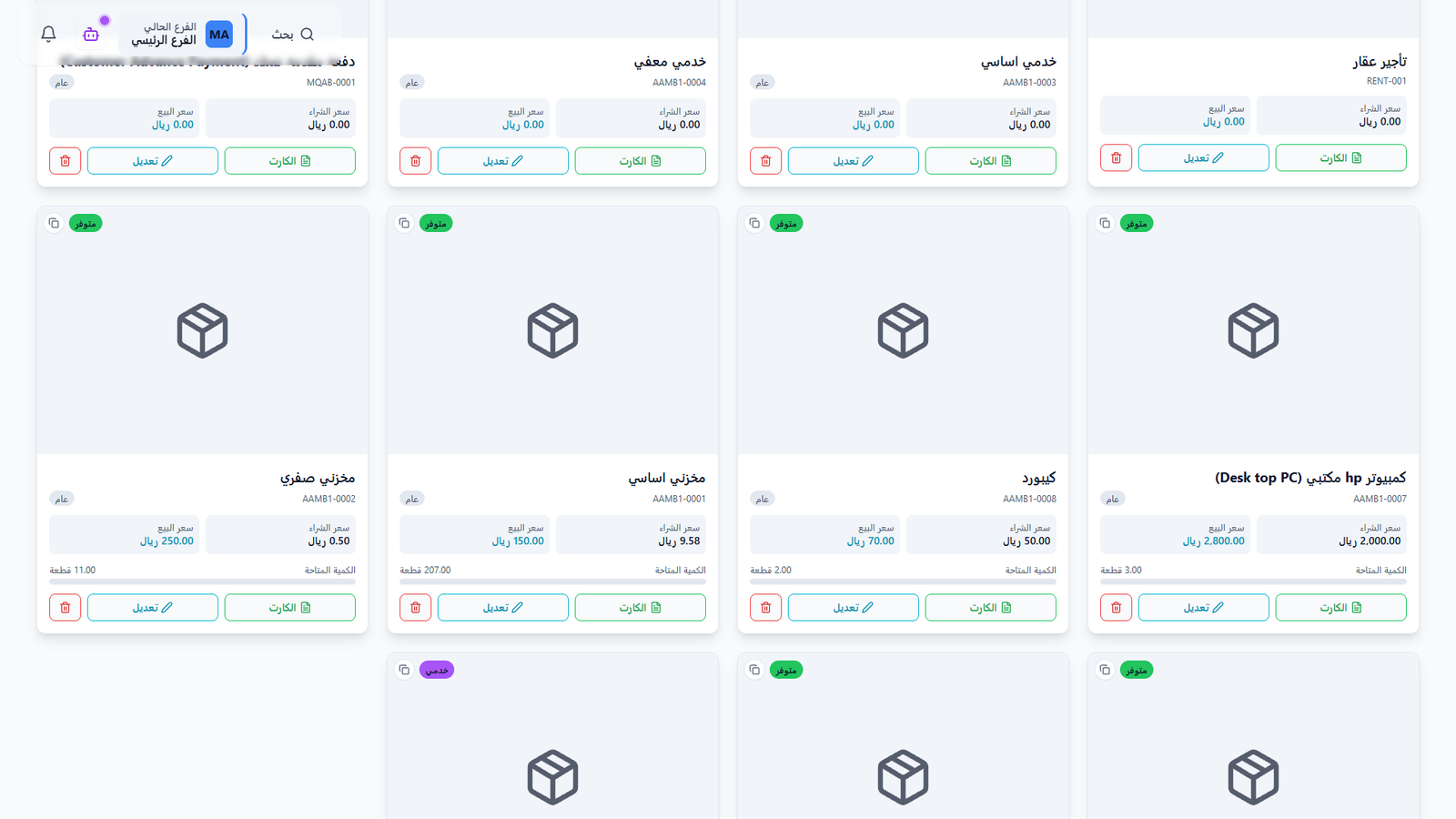
Products and available quantities
Review product codes, purchase and selling prices, and available quantities in one list. Open a product card to see its details.
 View full-size screenshot
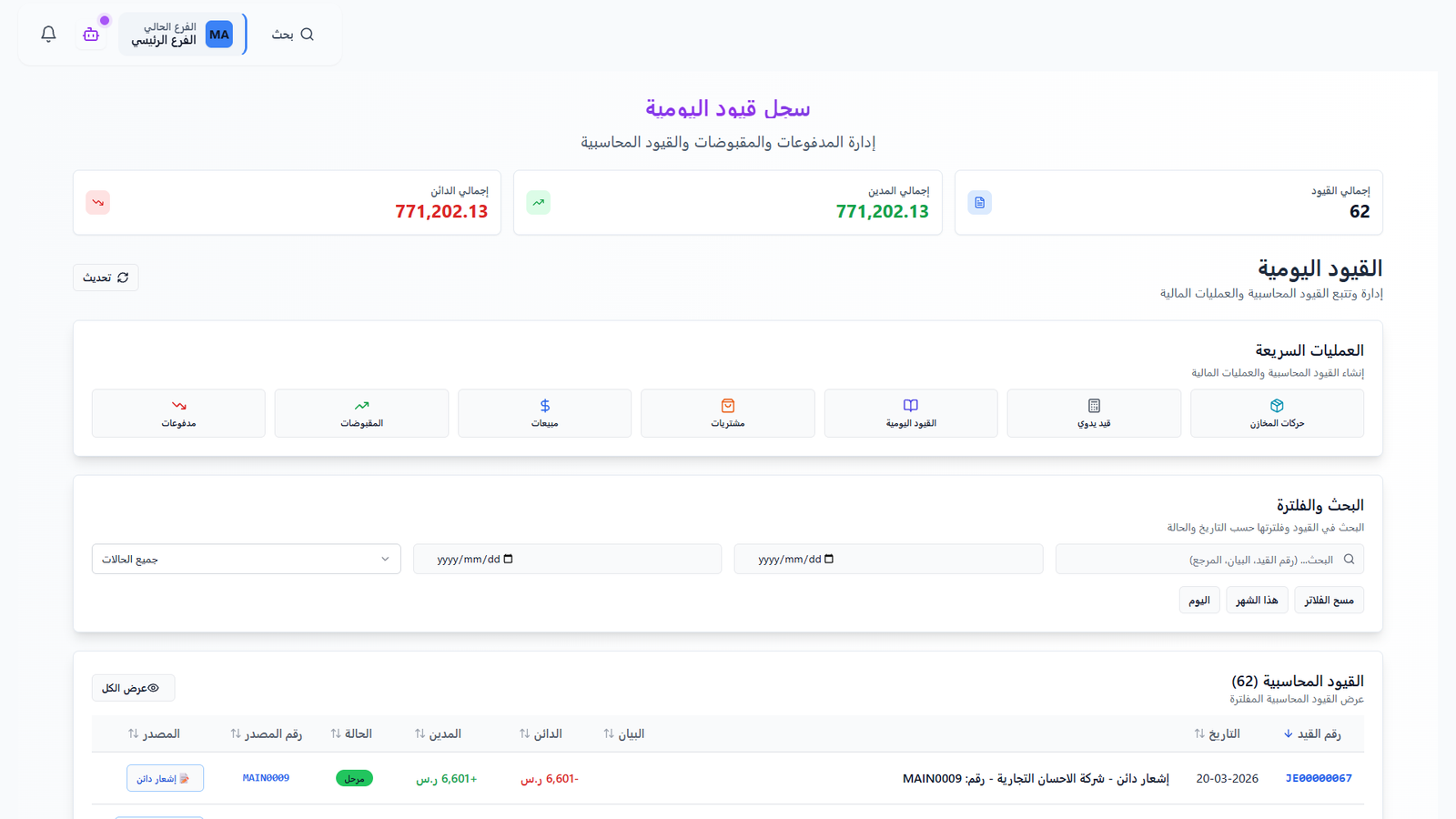
Journal entries and financial operations
Review debit and credit totals, and find entries by date, status, or reference. Shortcuts connect to receipts, payments, sales, and purchases.
 View full-size screenshot
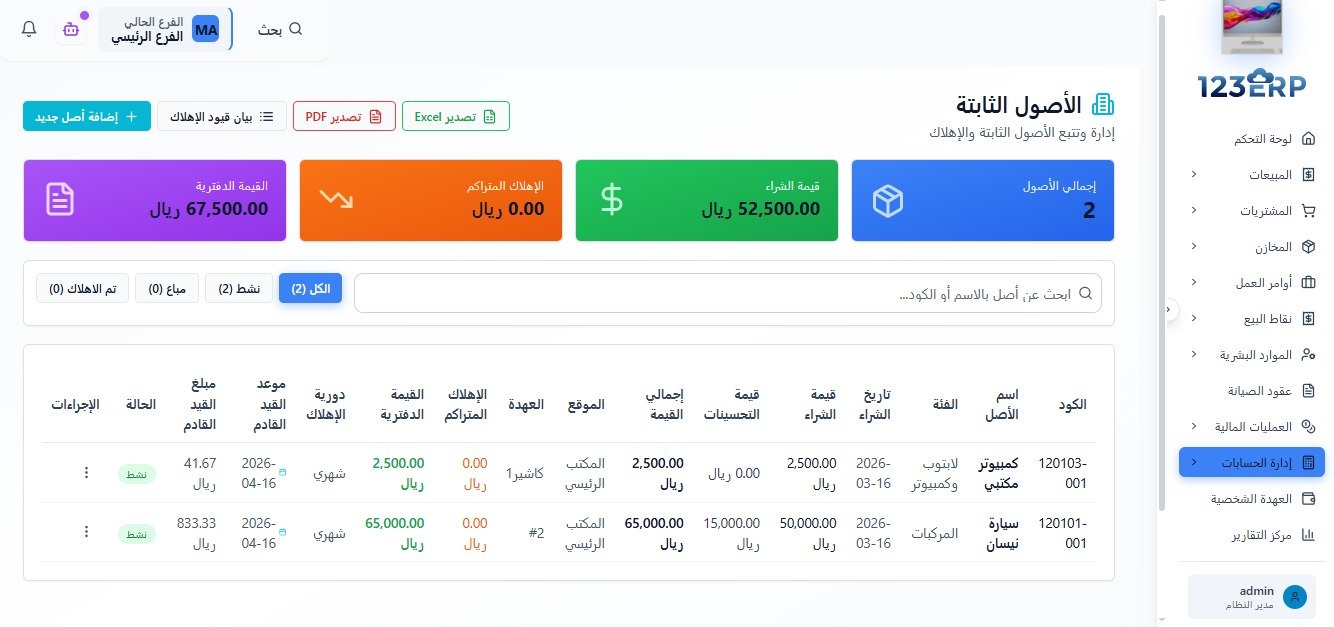
Fixed assets and depreciation
Review assets, purchase values, book values, accumulated depreciation, locations, custodians, and the next depreciation posting date.
 View full-size screenshot
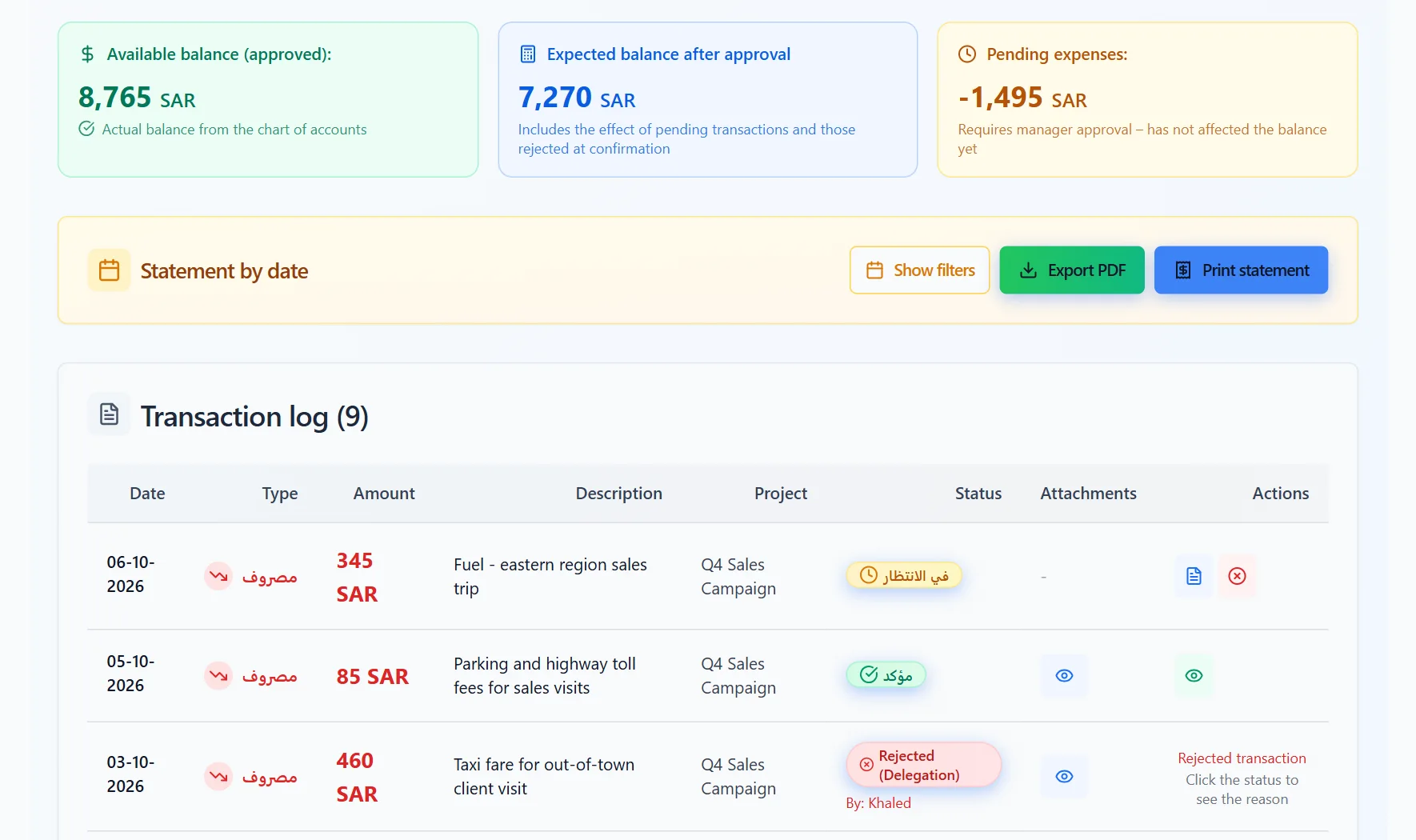
Employee custody and expense review
Track the approved balance and expenses awaiting approval. Review transaction status and print or export the statement.
 View full-size screenshot
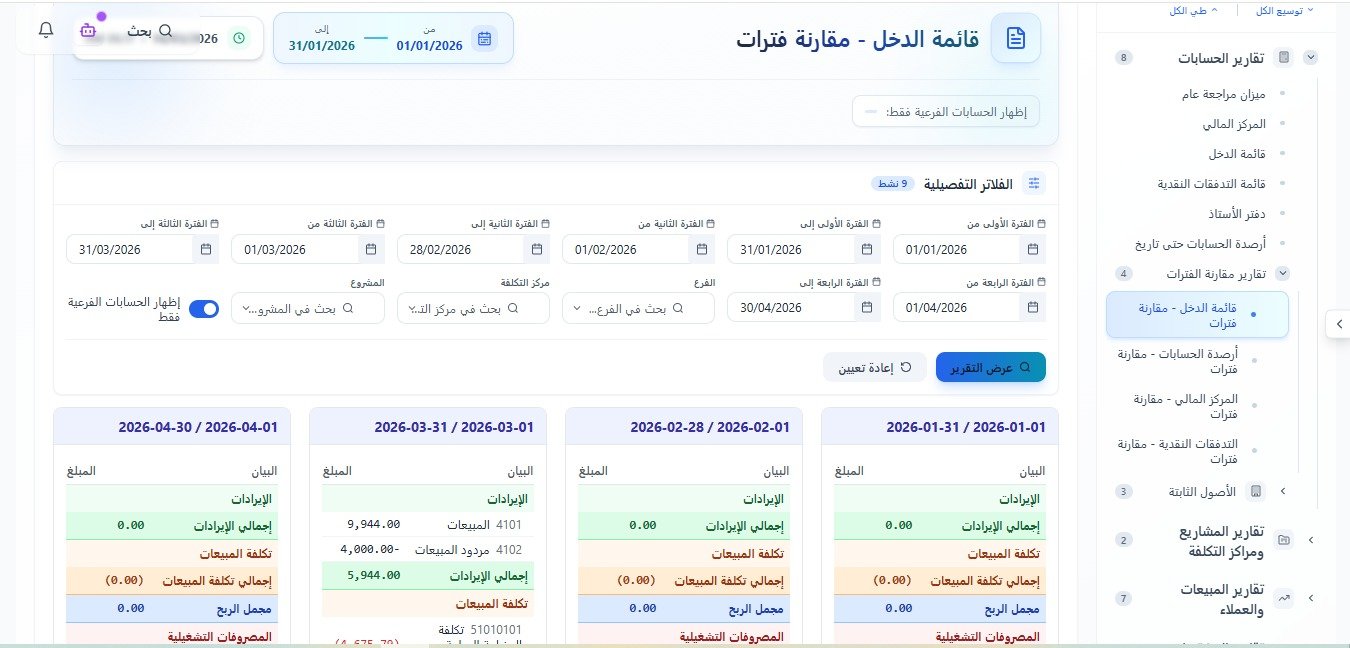
Reports and period comparisons
Compare income statements across periods, using date, branch, cost center, and project filters to set the report scope.
 View full-size screenshot
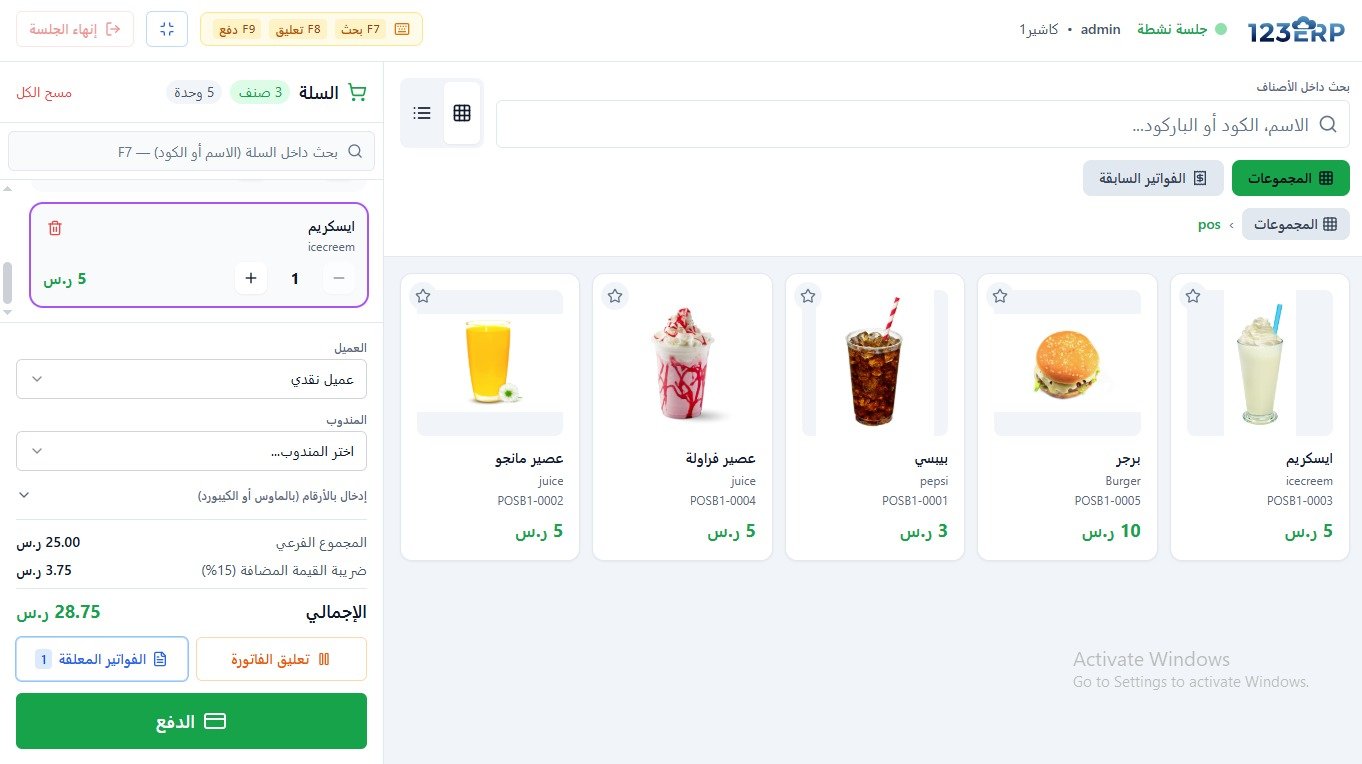
Point of sale
Choose products by image or search by name and code, adjust basket quantities, and continue to payment. Tools also let you park and resume invoices.
 View full-size screenshot
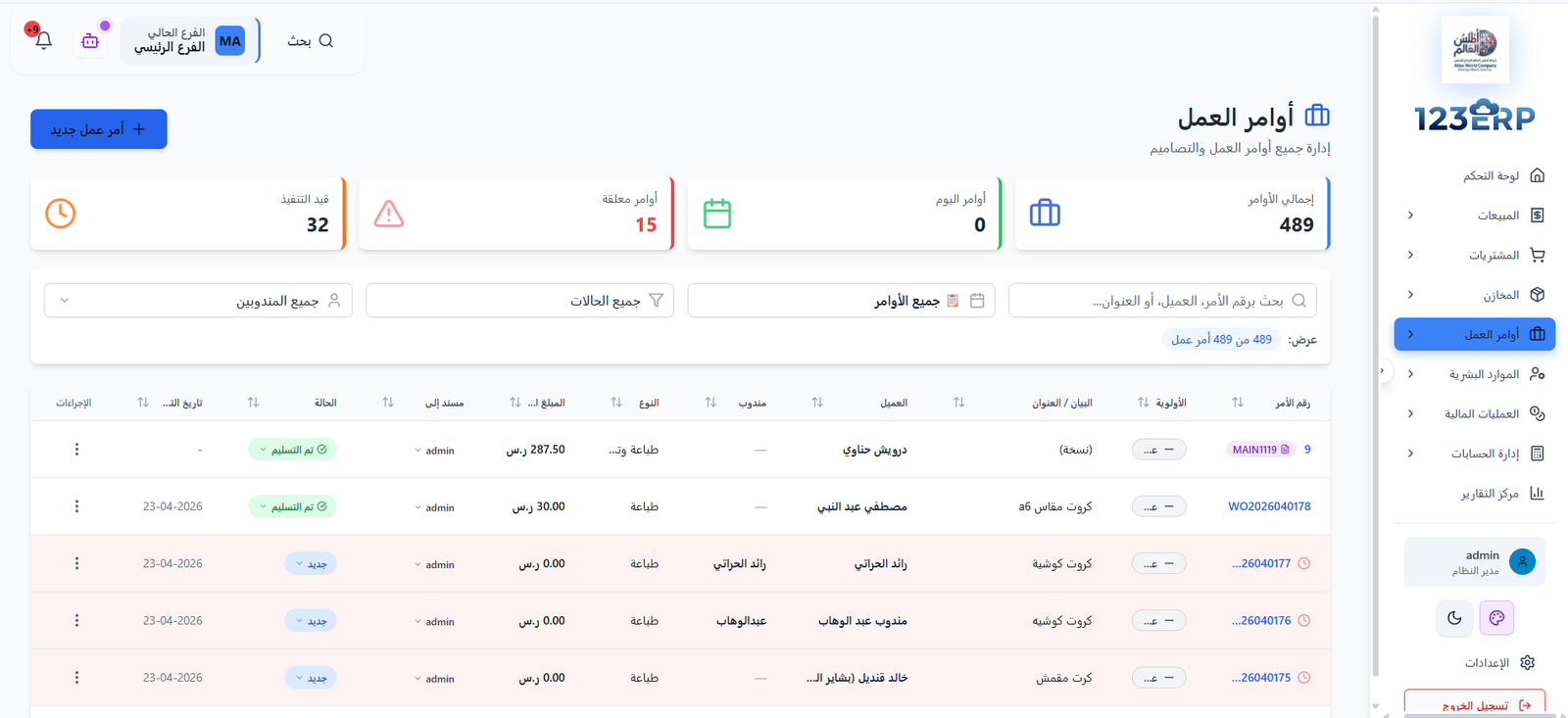
Work order tracking
Review work orders, their status, customer, and assignee. Use search and filters to find an order.
 View full-size screenshot
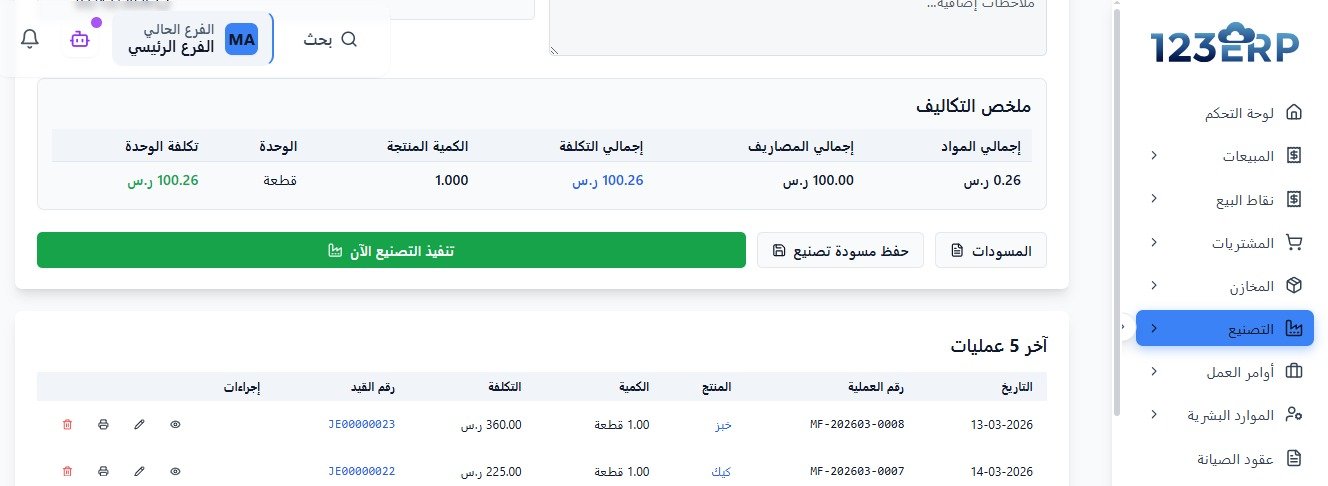
Manufacturing and production cost
See manufacturing costs for materials and expenses, produced quantities, unit costs, and recent operations.
 View full-size screenshot
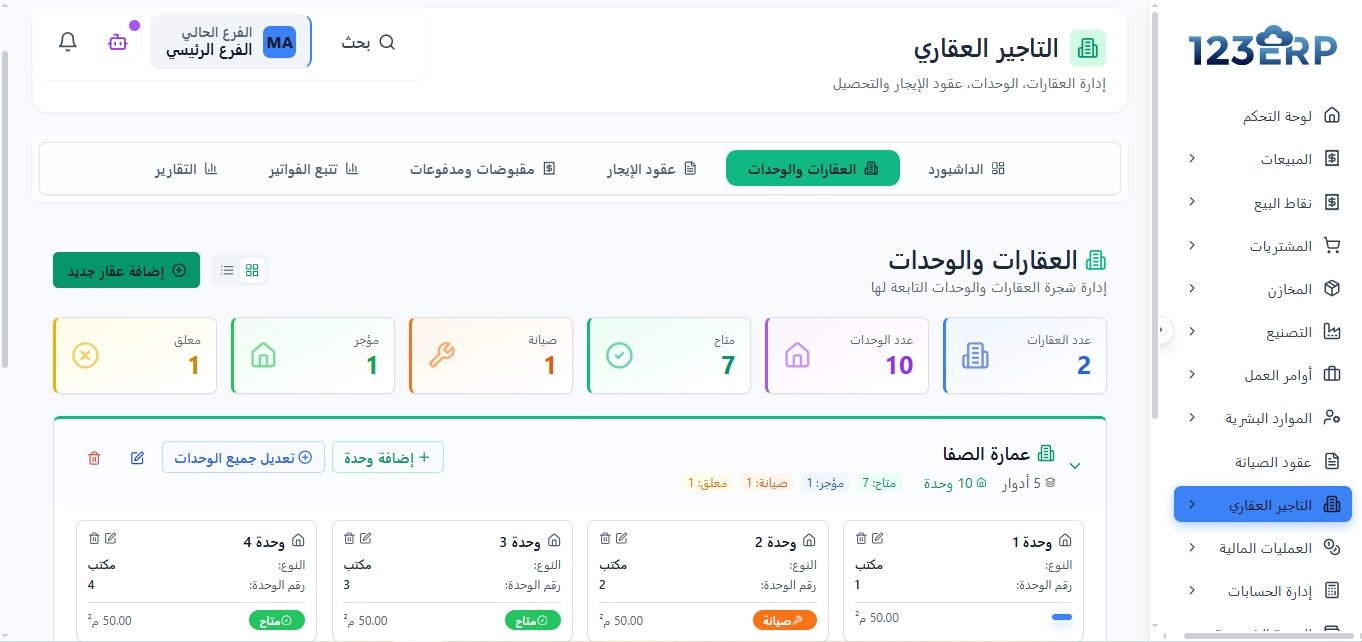
Property leasing and units
Review properties, their units, and availability, tenancy, or maintenance status. Navigate to leases, invoices, and collections.
 View full-size screenshot
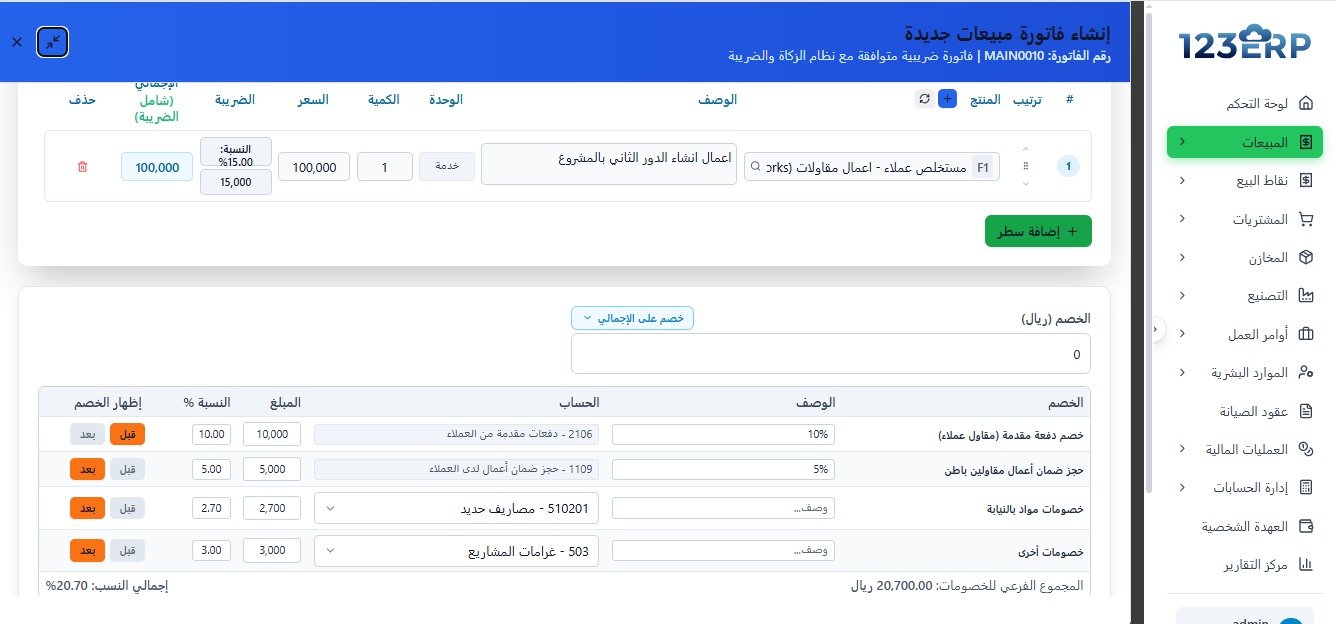
Contracting invoices and deductions
See contracting invoice lines and deductions, such as advances and retention, with an account selected for each deduction.